
Protect Your Money: An Actionable Guide for a Lost Phone in India
I have spent three decades in technology, and I have learned that the order of the steps matters more than any single one. A lost phone in India can put your money and data at risk within minutes, because so much of our financial life now lives on that one device. The first 30 minutes decide most of the outcome, so the steps below are in the order I would do them.
Quick Navigation
Lost Phone in India: The 2-Minute Summary
Every minute matters here. These five steps come first — do them in order:
- Block SIM Card: Immediately call your telecom operator (Jio, Airtel, Vi) and block your SIM. This stops all calls and OTPs from reaching your stolen phone. Ask for a duplicate SIM for the same number too, because the CEIR form in step 5 sends an OTP to it.
- Block Financial Accounts: Call all banks where you have net banking apps, and ask them to disable net-banking/mobile banking transactions on account including UPI. Call UPI providers (PhonePe, Google Pay, Paytm) to block all accounts linked to your number.
- Lock Your Phone Remotely: Use Google’s ‘Find My Device’ (for Android) or Apple’s ‘Find My’ (for iPhone) from another phone or computer to lock your device and display a message with an alternate contact number. Google link is https://www.google.com/android/find/ . Then, if you can’t get it back, consider ERASE DEVICE to wipe all data.
- File an FIR: Go to the nearest police station and file a First Information Report (FIR). This is crucial for insurance claims and legal records.
- Block IMEI Number: Use the government’s official Sanchar Saathi portal (CEIR, ceir.sancharsaathi.gov.in) to block your phone’s IMEI number, making it unusable on any network in India. You need your FIR copy and an OTP sent to your number, so get the duplicate SIM first. If you get the phone back later, report it to the police and unblock it on the same portal.
You won’t get an SMS or WhatsApp alert when the IMEI block goes through, only an email. If you spot anything suspicious on your accounts, call 1930 immediately, the Cyber Crime financial recovery helpline.
Detailed Step-by-Step Guide
Part 1: The First 30 Minutes
Once a phone goes missing, criminals have a short window to get into your money and your data before you do. Under RBI guidelines, you have zero liability for a fraudulent transaction if you report it within three days — that’s what actually protects you, and it’s why speed matters more than panic. Here is the order I would follow for a lost phone in India.
1. Lock Your Financial Services
- UPI Apps (GPay, PhonePe, Paytm):
- Google Pay: Dial 1800-419-0157. Choose the ‘lost phone’ option and follow the steps to block your account.
- PhonePe: Log in to another device, go to ‘Help’, and report the issue. You can also call their helpline 080-68727374 to block your account.
- Paytm: Call 0120-4456-456. Select ‘lost phone’ and provide details to block the account.
- Net Banking Apps:
- Call your bank’s customer care number immediately.
- Tell them you lost your phone and want to suspend all mobile banking and UPI services linked to that device or if possible for that account. Cyber criminals may use net-banking/browser for transactions using OTPs.
- E-commerce & Digital Wallets:
- Log in to Amazon, Flipkart, Myntra, Swiggy, Zomato, etc., from a computer and sign out of all devices. Change your password immediately.
2. Track and Lock Your Phone
- For Android Users (Most in India):
- On a computer or another phone, go to android.com/find and log in with the Google Account that was on your lost phone.
- You will see your phone’s location on a map.
- Select ‘Secure Device’ to lock your phone and sign out of your Google Account. You can also display a message like, “Phone lost. Please call this number: [Your alternate number]”.
- If you have important personal data and cannot find your phone, choose ‘Erase Device’. This will factory reset your phone.
- For iPhone Users:
- On a computer or another Apple device, go to icloud.com/find or use the ‘Find My’ app.
- Select your iPhone from the list of devices.
- Choose ‘Mark As Lost’ to lock your iPhone with a passcode and display a custom message.
- If you are sure you will not get it back, select ‘Erase iPhone’.
Part 2: What To Set Up Before You Ever Need This
A. Phone Security Settings:
- Screen Lock: Use a strong PIN, pattern, or biometric (fingerprint/face ID). Never use simple passwords like 1234 or your birthday.
- Remote Wipe & Tracking: Make sure ‘Find My Device’ (Android) or ‘Find My’ (iPhone) is always ON. It is your best friend in an emergency.
- SIM Card Lock: This is very important. Go to your phone’s settings and find ‘SIM lock’ or ‘SIM PIN’. Set a PIN for your SIM card. This way, if a thief removes your SIM and puts it in another phone, they cannot use it without the PIN.
- Note down your IMEI number — it’s printed on the phone’s box. You can also get it by dialing *#06# on the phone itself. Dual-SIM phones will show two IMEI numbers.
B. Banking & Payment Security:
- Biometric Authentication: Enable biometric login for all your banking and payment apps. It is much safer than a PIN.
- Transaction Alerts: Make sure SMS alerts are enabled for every single transaction. This is your early warning system.
Part 3: Getting Your Phone — And Your Money — Back
1. Police Complaint (FIR)
- Visit the nearest police station immediately.
- File a First Information Report (FIR) for your lost phone.
- Provide your phone’s IMEI number (a unique 15-digit number, you can find it on your phone’s box).
- The police will give you a copy of the FIR. Keep it safe! This is crucial for insurance claims and for blocking the phone.
2. Use Sanchar Saathi (CEIR) Portal
- This government-backed initiative lets you block a lost phone in India so it cannot be used on any network. You need a duplicate SIM for the lost number first, because the form sends an OTP to it.
- Go to ceir.sancharsaathi.gov.in.
- Click on ‘Block Stolen/Lost Mobile’.
- Fill in the form with your IMEI number, the FIR copy, and other details. Once submitted, your phone will be blocked on all networks in India. Police can still trace a blocked phone. If you recover it, tell the police and unblock it on the same portal.
3. Insurance Claim
- If your phone was insured, contact your insurance provider immediately.
- You will need the FIR copy and your phone’s purchase receipt to file the claim.
The Scams That Follow a Lost Phone in India
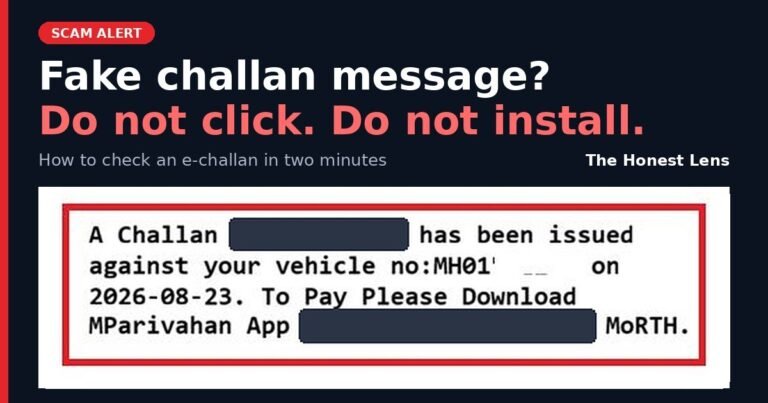
After a lost phone in India, scammers may try new tricks. Be aware of these common scams:
- SIM Swap Fraud: A more advanced scam where the thief gets a duplicate SIM issued in your name, hijacking your number. This is why blocking your original SIM is the first and most crucial step.
- Fake Customer Service Calls: You might get a call from someone pretending to be from your bank or a government agency, asking for details to “help” you. NEVER give out your personal details, passwords, or OTPs.
- Social Engineering: Scammers might call your family members, pretending to be you, asking for money because you are “in trouble.”
The India-Specific Rules Worth Knowing
- Cyber Crime Cell: The national helpline number for cyber fraud is 1930. Call this number immediately if you have lost money! You should also report the crime on the official portal: www.cybercrime.gov.in.
- RBI Guidelines: The Reserve Bank of India (RBI) has strict rules on digital payments. If fraud follows a lost phone in India, you have limited liability as long as you report it immediately.
Emergency Contact Template
Save this template on your other phone or computer.
- Police Station Contact:
- Bank Customer Care:
- Bank Name: _________________ Number: __________________
- Bank Name: _________________ Number: __________________
- UPI App Helplines:
- GPay: 1800-419-0157
- PhonePe: Log in and use the ‘Help’ section
- Paytm: 0120-4456-456
- Telecom Operator Numbers:
- Jio: 198
- Airtel: 198
- Vi: 198
- Trusted Family/Friend Emergency Contacts:
- Name: _________________ Number: __________________
- Name: _________________ Number: __________________
What To Do Right Now
Do this today, before you need it: remote lock, a SIM PIN, biometric lock, transaction limits, and a password manager. Five things, one sitting.
Send this to the people in your life who’d struggle to move this fast under pressure — parents especially. A little preparation now saves a lot of panic later. For the fuller playbook, my book BE CYBER SMART — An Indian Family’s Guide to Outsmart Scammers is on Amazon: https://amzn.to/3V9nrZU.







7 Comments
Comments are closed.